
YourBooks POS — Web & Desktop
A full retail register that runs in the browser, installs as a PWA, or ships as a native desktop app — and keeps selling even when the internet drops. Every sale posts real double-entry accounting, reconciles the cash drawer, and syncs to head office automatically once you’re back online.
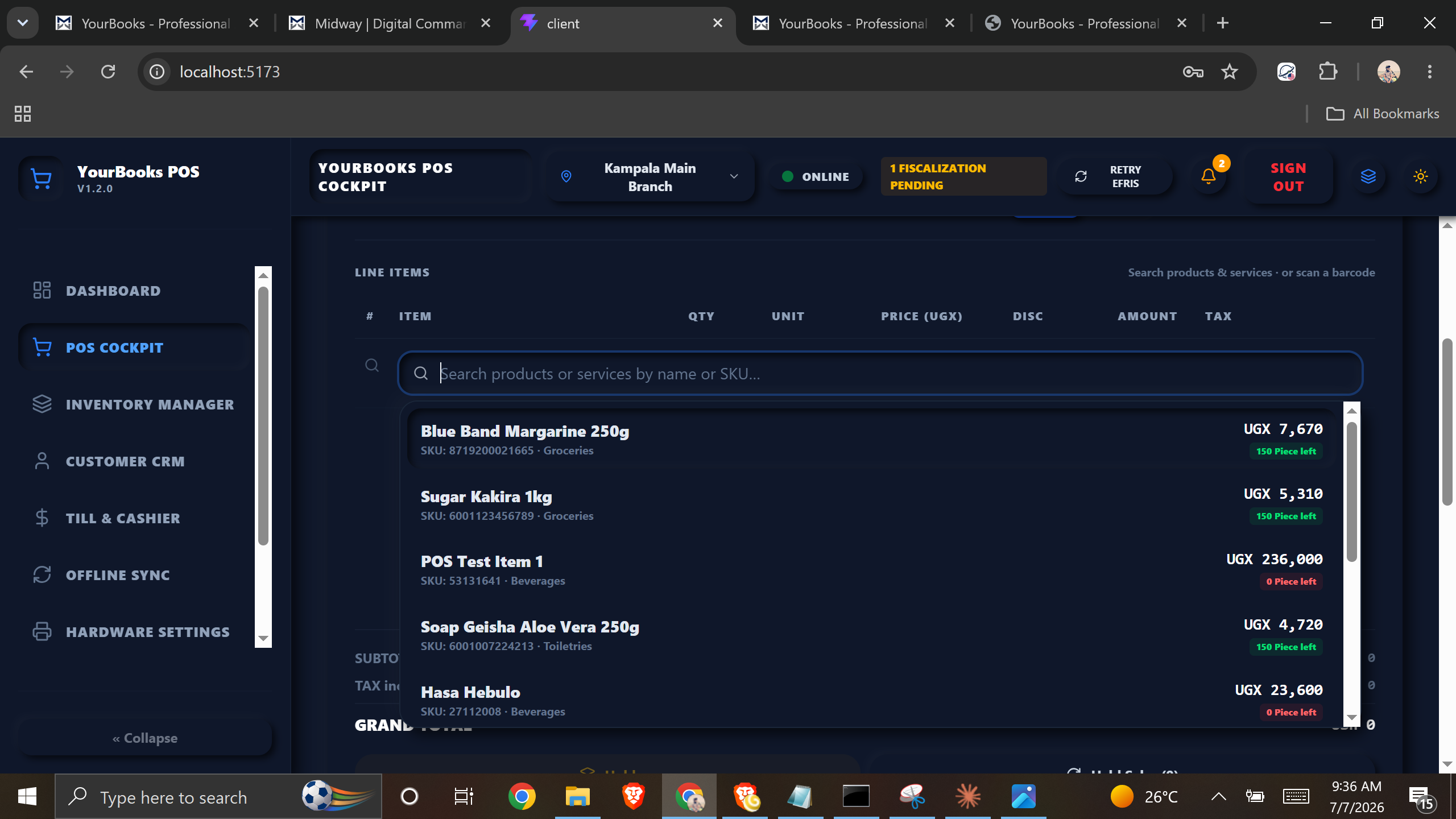
A Register Built for Real Retail
Works Fully Offline (PWA)
Built as a Vite + React single-page app with a service worker and an on-device IndexedDB catalog. Barcode search and checkout run in memory in under 50ms — no internet, no lag. Sales queue locally and sync in the background the moment the link returns.
Real Double-Entry Accounting
Every checkout posts a balanced journal entry automatically — debiting Cash/Bank and COGS, crediting Sales Revenue, VAT liability, and Inventory. Your books stay accountant-accurate without anyone touching a ledger.
Till Sessions & Cash Control
Open a till with a starting float, record safe drops and cash additions, then reconcile at shift-end against expected balances. Discrepancies auto-post to cash shortage/overage accounts, cutting retail shrinkage.
Split Payments & Mobile Money
Take cash, card, or mobile money — or any combination on a single ticket. Generate MTN/Airtel mobile-money QR requests and confirm settlement by webhook, with each tender routed to its own clearing account.
Receipt & Hardware Ready
Print 58mm or 80mm thermal receipts over ESC/POS, fire the cash-drawer kicker through the printer pass-through, and mirror the sale to a customer-facing display — the peripherals a real checkout lane needs.
Deploy Anywhere
One codebase ships three ways: a hosted web app, an installable PWA on tablets and laptops, or a native desktop installer (.exe / .msi / .dmg) packaged with Tauri or Electron. Run it however each branch prefers.
Everything the Front Counter Needs
Checkout Cockpit
USB/HID barcode scanning, a quick-access grid for un-barcoded items, supervisor-authorized price overrides against branch minimums, and a real-time inclusive/exclusive tax engine.
Inventory & Multi-UoM
Branch-level stock visibility with low-stock warnings, box-vs-unit unit-of-measure conversion with automatic pricing, and immediate inventory depletion on every receipt.
Customer CRM & Loyalty
Walk-in defaults for speed, instant lookup by phone, email, or loyalty ID, fast in-cart customer registration, and loyalty points plus store-credit ledgers for returns.
Shift Analytics & Audit
Mid-shift X-Reports and end-of-day Z-Reports grouped by cashier and payment method, with automatic flags on large cash variances and anomalous voids.
From Scan to Synced in One Flow
Scan & Ring Up
Cashiers scan barcodes or tap the quick grid. Items, prices, and taxes resolve instantly from the on-device catalog — even with no connection.
Take Payment
Collect cash, card, or mobile money, split across tenders on one ticket. Change due is calculated instantly and each payment routed to its clearing account.
Print & Kick Drawer
A thermal receipt prints over ESC/POS, the cash drawer kicks open, and the customer-facing display mirrors the sale — all in one tap.
Auto-Post & Sync
A balanced double-entry journal is recorded for the sale and the receipt joins the sync outbox, uploading to head office the moment the network returns.
Want a register that never stops when the internet does?
YourBooks POS keeps ringing up sales offline, balances your books on every transaction, and reconciles the till at close of day — on the browser, a tablet, or a desktop lane. Book a walkthrough and we’ll tailor it to how your shop actually runs.