YourHires
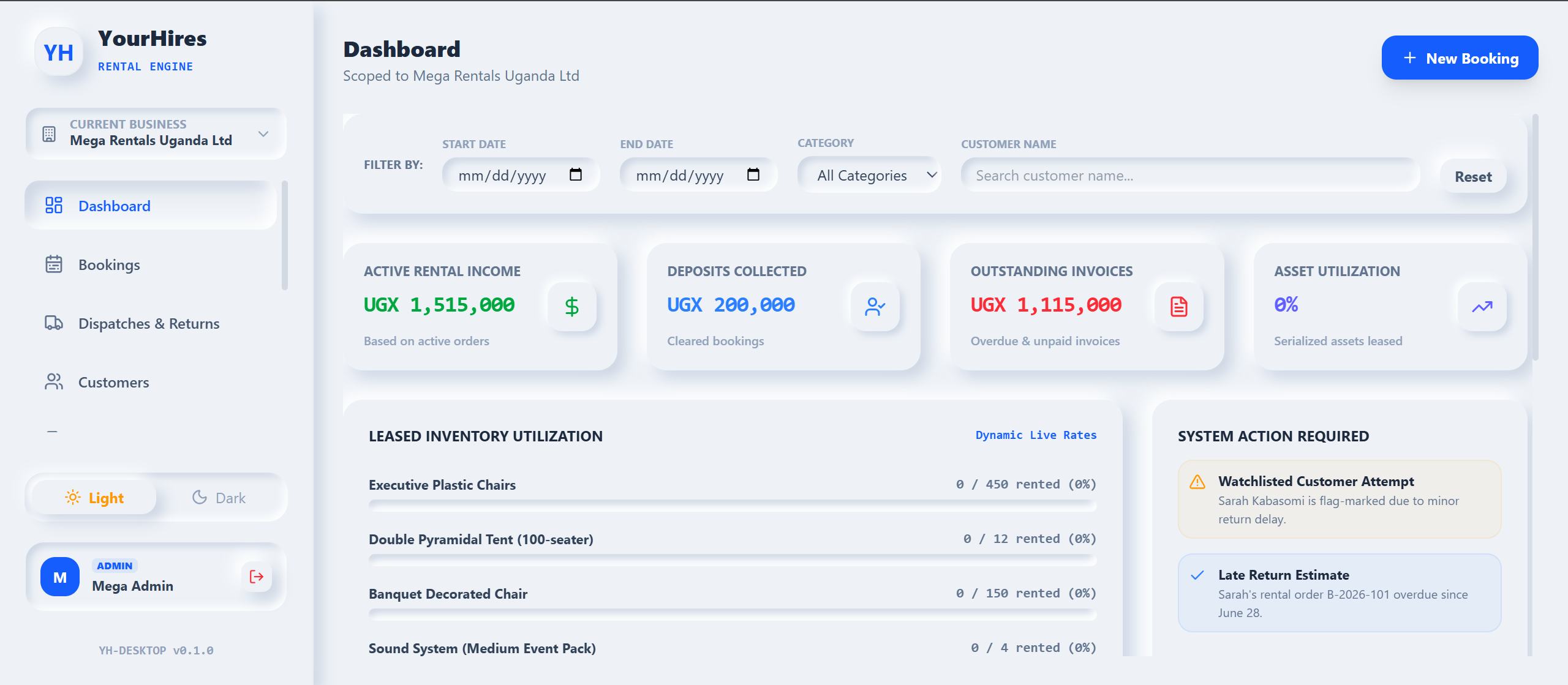
YourHires is Midway’s ledger-accurate rental & asset management system for hire businesses. Take bookings and deposits, dispatch and return serialized assets, audit late returns automatically, and keep customer account ledgers and AR aging spotless — on the web and as a lightweight desktop app.
Everything a Hire Business Needs
Bookings & Deposits
Take customer and function bookings, hold refundable deposits, and confirm reservations against real availability. Every booking is scoped per business so multi-branch operators stay organised.
Dispatch & Returns
Log every dispatch and return against a rental order. Track what left the store, what came back, and what’s still out — with a clear audit trail for each transaction.
Serialized Asset Tracking
Track individual serialized assets through their whole lifecycle — available, reserved, dispatched, returned, or in maintenance — with a live catalog and status board.
Late-Return Penalties
Automatic late-return fee audits calculate penalties the moment assets run past their due date, so nothing slips and every extra day is billed accurately.
Invoicing & Credit Notes
Raise rental invoices and credit notes directly from bookings and returns. Post to customer account ledgers so balances always reflect the latest activity.
AR Aging Ledger
Enterprise accounts-receivable aging breaks overdue balances into Net 30, 31–60, 61–90, and 90+ day buckets — calculated on the backend and rendered on the dashboard.
The Rental Life Cycle
Book & Deposit
A customer reserves assets for a date range. YourHires captures the booking, holds the deposit, and blocks the assets from double-booking.
Dispatch
On collection day, staff dispatch the serialized assets against the rental order — statuses flip to ‘out’ and the clock starts.
Return & Audit
When assets come back, returns are logged. Any overdue items trigger automatic late-return penalty audits.
Invoice & Age
Rental charges, penalties, and deposits net out into an invoice, and open balances roll into the AR aging ledger.
Losing track of what’s out and what’s overdue?
Spreadsheets can’t tell you which serialized asset is late, whose deposit is still held, or how much is 90+ days overdue. YourHires can. It keeps bookings, dispatch, returns, penalties, and receivables ledger-accurate in one place.